

Brake pads are the consumable part of your braking system, and they wear out long before rotors do. Rotors last longer but only stay safe within measured thickness and runout limits. The simple rule: replace pads alone when a technician confirms the rotors measure within spec and the surface is smooth. If a rotor is thin, scored, or vibrating under your foot, plan on replacing rotors in axle pairs, pads included.
TL;DR:
- Most drivers should have their rotors measured with a micrometer and dial indicator to confirm whether they are within specifications before opting for rotor replacement.
- Visual inspection alone cannot reliably detect issues like minimum thickness or problematic runout, so precise measurements are essential for proper diagnosis.
- Replacing pads only is advisable when rotors are comfortably above minimum thickness, show no grooves or cracks, and have no measurable runout, to avoid accelerated wear and vibration.
- Replacing both pads and rotors together is often more cost-effective because it addresses both surfaces simultaneously and prevents premature pad wear caused by damaged rotors.
- Ignoring measurement data can lead to guesswork and recurring brake issues, while proper inspection ensures safer, more reliable braking performance over the lifespan of the components.
Table of Contents
- Brake Pad vs Rotor: How Pads Actually Work
- Brake Pad vs Rotor: What Makes Rotors Fail
- Pads or Rotors? Reading the Symptoms Correctly
- When to Replace Pads Only vs Pads and Rotors
- Brake Pad vs Rotor Differences at a Glance
- How a Technician Inspects and Beds In Your Brakes
- Our Take: Measurements Beat Guesswork Every Time
- Get Your Brakes Measured, Not Guessed At
- Sources
- FAQ
Brake Pad vs Rotor: How Pads Actually Work
Every time you press the brake pedal, the caliper squeezes two pads against the spinning rotor. That friction is what slows the car, and it is also what eats away at the pad material a little more with every stop. Pads are built from friction compounds bonded to a steel backing plate, and the compound determines how the brake behaves.
- Ceramic pads run quiet, produce lighter dust, and hold up well for daily commuting.
- Semi-metallic pads handle heat better under hard use but tend to be louder and harder on rotors.
- Organic pads are softer and gentler on rotors but wear down faster.
A new pad typically starts with a measurable thickness of friction material and is considered due for replacement once worn down close to the manufacturer’s specified minimum. Most pads carry a metal wear indicator that produces a high-pitched squeal once material gets thin. Ignore that sound long enough and you will hear grinding, which means the backing plate is contacting the rotor directly. Pads typically last 30,000 to 70,000 miles, depending on driving habits and pad type.
Brake Pad vs Rotor: What Makes Rotors Fail
The rotor is the flat metal disc the pads clamp onto, usually a solid or internally vented design depending on the vehicle and axle. Rotors do not wear the way pads do. Instead, they lose thickness slowly, develop grooves from trapped debris, or form hard spots and hot spots from repeated heat cycling.
- Thickness loss happens gradually as pads scrub material off with every stop.
- Grooves and scoring form when a worn pad or trapped grit cuts into the surface.
- Hard spots and heat damage show up as discoloration or uneven wear after aggressive or prolonged braking.
- Cracks are the most serious failure and call for immediate replacement.
Technicians decide whether a rotor stays in service using three measurements: minimum thickness, disc thickness variation (DTV), and lateral runout. A rotor must meet minimum thickness and be free of problematic DTV or runout; if it falls short on either measurement, it gets replaced, not reused. That minimum thickness is stamped or cast right onto the rotor hat, so there is no guesswork involved.
Pads or Rotors? Reading the Symptoms Correctly
Most drivers can narrow down the culprit before ever calling a shop, provided they know what each sensation actually means. Pedal pulsation most often points to rotor thickness variation or runout, while a squeal almost always means the pad wear indicator is doing its job. Grinding is metal-on-metal contact, which means the pad is gone and the rotor is likely already being damaged.
- Pulsation in the pedal or steering wheel usually means rotor thickness variation or runout.
- High-pitched squeal signals the pad wear indicator has engaged.
- Grinding noise means the pad has worn through to bare metal.
- Pulling to one side can point to a sticking caliper or uneven wear between the two front rotors.
Pro Tip: A shaky pedal doesn’t always mean a warped rotor. Uneven pad material deposits on the rotor surface can mimic the same vibration, and only a dial-indicator runout check tells the two apart. That distinction matters because a rotor with true geometric distortion needs replacing, while one with surface deposits sometimes just needs proper cleaning and reseating.
When you describe symptoms to a technician, be specific: mention whether the vibration happens under light or hard braking, whether it comes through the pedal or the steering wheel, and at what speed it starts. Ask directly whether they measured thickness and runout, or whether the pads-only recommendation was based on a visual check alone.
When to Replace Pads Only vs Pads and Rotors
A rotor gets pulled from service under any of these conditions:
- Thickness measures at or below the stamped minimum.
- Deep grooves are visible across the swept surface.
- Runout or DTV measurements exceed the manufacturer’s tolerance.
- Cracks appear anywhere on the friction surface.
- The outer edge has built up an excessive wear lip.
- Heat damage shows as blue or discolored hot spots.
Pads-only replacement is reasonable when the rotor measures comfortably above minimum thickness, shows no DTV, and has a smooth, even surface. Bolting fresh pads onto a scored or heat-damaged rotor does not save money. It just accelerates wear on the new pads and often reproduces the original vibration within a few thousand miles.
There is also a labor argument worth understanding. Reaching the rotor requires removing the caliper and bracket, which is the same labor whether you replace pads only or pads and rotors together. Doing both in one visit is often more cost-effective than paying for that labor twice when a marginal rotor fails inspection a few months later.
Pro Tip: If a rotor is being replaced on one side of an axle, replace its partner too. Mismatched rotor thickness side to side can cause uneven braking force and pull under hard stops.
Brake Pad vs Rotor Differences at a Glance
| Factor | Brake Pads | Rotors |
|---|---|---|
| Typical lifespan | 30,000 to 70,000 miles | 50,000 to 100,000 miles |
| Primary symptom | Squeal, then grinding | Pulsation, vibration |
| Replacement trigger | Friction material near wear limit | Below minimum thickness or excess runout |
| Cost and labor | Lower cost, shared labor with rotor jobs | Higher part cost, same labor as pads |
Quick field checklist:
- Replace pads only if: rotor thickness is well above minimum, no DTV, no grooves, smooth surface.
- Replace rotors if: thickness is at or near minimum, runout exceeds tolerance, grooves or cracks are visible.
Resurfacing used to be the default fix for a rough rotor, but many modern rotors ship thin enough that machining them removes too much material to stay safe. Replacement often makes more sense than resurfacing once a rotor is already close to its discard thickness.
How a Technician Inspects and Beds In Your Brakes
A proper inspection follows a set sequence, not a glance through the wheel spokes.
- Visual check for cracks, grooves, and lip wear around the entire rotor.
- Micrometer readings taken at several points around the swept surface to find the lowest thickness reading.
- Dial-indicator check for lateral runout against the manufacturer’s tolerance.
- Caliper slide pin and hardware inspection to confirm even pad contact.
If new rotors go on, new pads go on with them. New rotors need new pads for proper bedding, a controlled series of stops that transfers an even layer of friction material onto the rotor surface. Skipping that step is one of the most common causes of squealing brakes right after a repair. For a closer look at what technicians check, our guide to inspecting brake rotors walks through the visual and measurement steps in more detail.
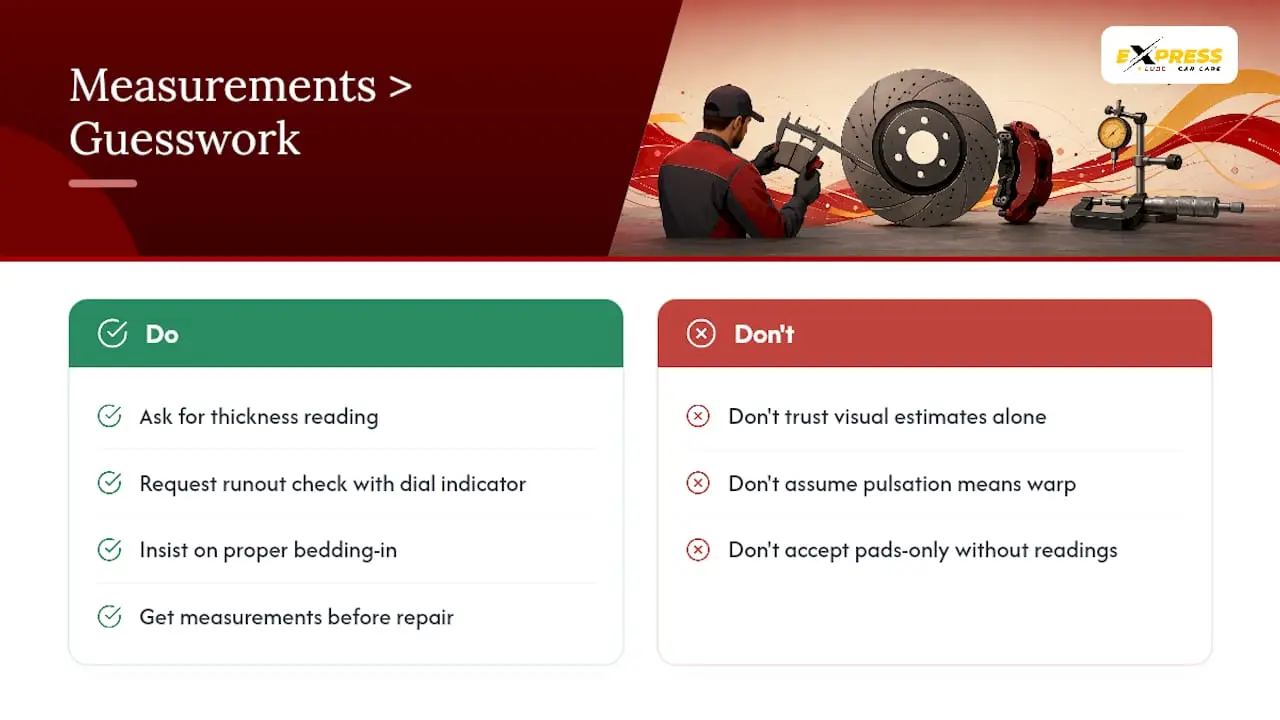
Pro Tip: A cracked rotor gets replaced immediately, full stop. If a shop recommends pads-only without giving you a measured thickness and runout reading, ask for the numbers before you agree.
Our Take: Measurements Beat Guesswork Every Time
The conventional advice on this topic tends to stop at “replace pads when they squeal, replace rotors when they warp.” That framing undersells how much a $30 micrometer reading changes the outcome of a brake job. A rotor that looks fine to the eye can already be under minimum thickness, and a pedal that pulsates under braking is not automatically a warped rotor. It could just as easily be pad material unevenly deposited on a perfectly serviceable disc.
We think the biggest gap in how drivers approach brake pad vs rotor decisions is trusting a visual estimate over an actual number. Ask for the thickness reading. Ask whether runout was checked with a dial indicator. A shop that skips that step and recommends pads-only anyway is guessing, and guessing on a braking system is not where anyone should cut corners. Bedding-in gets skipped just as often, and that alone explains a lot of the squealing complaints that show up a week after a “successful” brake job.
Get the measurements first. Everything else about the repair follows from those two numbers.
Get Your Brakes Measured, Not Guessed At
Skip the appointment line entirely. Express Lube & Car Care runs a walk-in shop in Plano, so you can get your rotors measured with a micrometer and dial indicator the same day you notice a squeal or a shudder in the pedal, no scheduling required.

Technicians check thickness, runout, and pad wear as part of every brake inspection, providing actual measurements rather than visual estimates. If pads-only is the right call, that recommendation is made. If the rotors are below spec, they will guide you through replacing both, in axle pairs, with proper bedding on every new set. Right now you can save $30 off brake service when you bring your vehicle in. Ready to get an honest read on your brakes? Visit our brake repair page to see what a full inspection covers, or stop by today.
Sources
- Do I Need to Replace Rotors With Brake Pads? — R1 Concepts
- Warped rotors vs worn brake pads: How to tell the difference — The Motor Guy
FAQ
How do I tell if I just need brake pads or rotors?
Squealing usually means pads are worn and need replacing, while pulsation in the pedal or steering wheel points to a rotor thickness or runout problem. A technician can confirm which with a micrometer and dial-indicator check.
Should I replace brake pads or rotors?
Replace pads alone if the rotors measure above minimum thickness with no runout or grooves. Replace both if the rotors are near their discard thickness, scored, or showing confirmed runout, since new rotors require new pads for proper bedding.
Why do mechanics always want to replace rotors?
Because reaching the rotor requires the same labor as a pads-only job, replacing both at once often avoids paying for that labor twice later. It also prevents the comeback repairs that happen when new pads get paired with a marginal rotor.
How many miles do rotors usually last?
Rotors commonly last 50,000 to 100,000 miles, though driving style, braking habits, and rotor material all affect that range significantly.
Can a rotor be resurfaced instead of replaced?
Sometimes, but many modern rotors are already close to their minimum thickness from the factory, which makes resurfacing riskier than straight replacement in a lot of cases.